Your leaflet
DL C-fold
99 × 210mm folded · 6 printed panels · Folds inwards
Choose your quantity on the product page to see the current price and production options.
A little more room for your story
Folded leaflets for menus, introductions and ideas that need more than a flyer. See how each fold opens, then choose the one that fits your message.
Find your fold Get artwork templates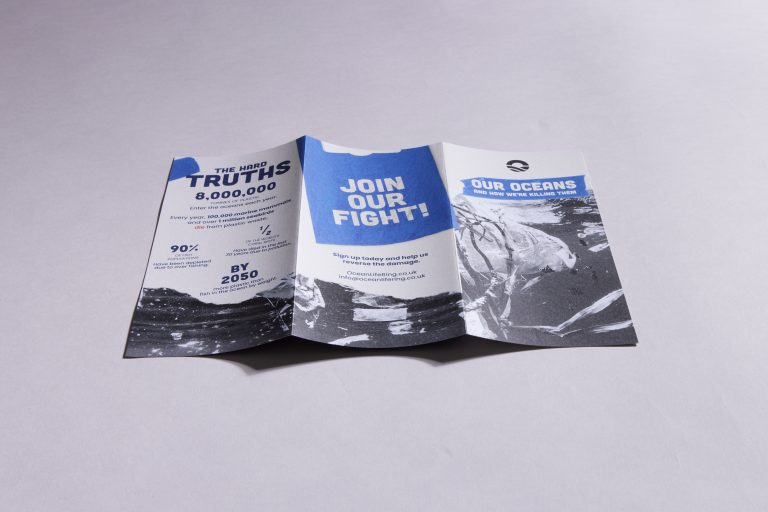
Start with how it opens
Sizes below are measured when folded. Panels are the printed faces on both sides of one sheet.
Select a fold to explore its specification and artwork.
Your leaflet
99 × 210mm folded · 6 printed panels · Folds inwards
Choose your quantity on the product page to see the current price and production options.
Your leaflet
99 × 210mm folded · 6 printed panels · Opens in a zigzag
Choose your quantity on the product page to see the current price and production options.
Your leaflet
148 × 210mm folded · 4 printed panels · Opens like a card
Choose your quantity on the product page to see the current price and production options.
Not sure which to choose?
The folds hold different kinds of content well. The diagram matters more than the name.
Choose C-fold when you want a neat front cover and information that unfolds in stages.
Choose Z-fold for a process, a timeline or sections that work together when opened out.
Choose A5 half-fold for larger images, readable blocks of text and a straightforward inside spread.
Get the fold right from the start
Download the template for your exact fold. It shows the covers, inside panels, trim and bleed. The C-fold and Z-fold files are not interchangeable.
295 × 210mm flat · 6 printed panels
The tuck-in panel is narrower so it closes neatly. Use the 97 / 99 / 99mm panel widths in this template, not three equal panels.
The supplier template calls this a 6-page roll fold. It is the same C-fold shown here, not an 8-panel roll fold.
297 × 210mm flat · 6 printed panels
This template uses three equal 99mm panels. Check which panel becomes the front cover; its position differs from a C-fold.
Also called a concertina or accordion fold. This option has six printed panels in total.
297 × 210mm flat · 4 printed panels
Use the outside spread for the back and front covers, then the inside spread for the two inner pages. Follow the supplied fold guide.
A4-sized artwork folds down to A5. Four panels means four printed faces, not four sheets.
These are production-partner templates, supplied unchanged. For a bespoke paper or production route, ask us to confirm the template before you design.
The six-panel inward fold is often called a C-fold, tri-fold or roll fold. Some printers also use “roll fold” for an eight-panel leaflet. Check the picture and panel count rather than the name alone.
Different suppliers use the term differently. We show the finished size first, then the flat artwork size beside each template. An A5 half-fold starts with an A4-sized sheet; a leaflet that finishes at A4 needs a larger sheet.
Yes, but start with the exact flat dimensions and panel positions in the matching template. Keep both sides in the correct order and export a print PDF. If you cannot reproduce the fold guides confidently, ask us before finishing the design.
Read our Canva artwork guide →Yes, ask us for a tailored quote. We’ll confirm the available specification and the right artwork template before production.
See the specification and available production options.
See the specification and available production options.
See the specification and available production options.